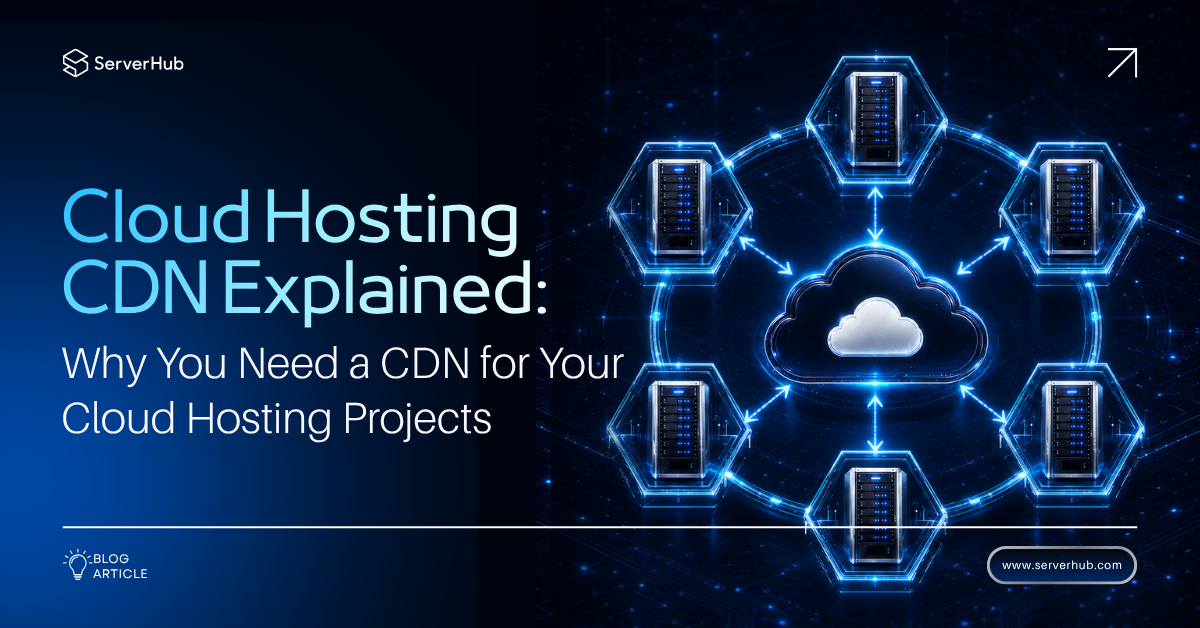
A content delivery network (CDN) is a system of distributed servers that deliver web content to users based on their geographic location. Instead of relying on a single server, a CDN spreads copies of your website files across multiple servers worldwide, ensuring faster and more reliable access.
Cloud hosting is a hosting solution where websites and applications are hosted on virtual servers that pull resources from a network of physical servers. This makes cloud hosting scalable, flexible, and resilient compared to traditional hosting.
In this cloud hosting CDN explained guide, we break down what a CDN is and cloud hosting, how a CDN works, and the relationship between these two technologies. We'll also explore why a CDN is often essential for your cloud projects, and the factors to consider in choosing the rigth CDN.
Understanding Content Delivery Network
How a CDN Works
A CDN stores cached versions of your website’s content (images, videos, scripts, HTML files) on multiple servers across the globe. When a user visits your site, the CDN delivers content from the nearest server, reducing latency and improving load times.
Importance of Using a CDN
Using a CDN is important because it can significantly improve website performance and user experience. By reducing latency and page load times, CDNs can increase engagement, conversion rates, and search engine rankings.
What are the Uses of a CDN
CDNs have a wide range of applications, including:
* E-commerce Websites: Online stores rely on high-resolution product images, dynamic pricing, and real-time inventory updates. A CDN ensures that browsing remains snappy even when thousands of users are adding items to their carts simultaneously.
* Media and Video Streaming: Platforms like Netflix and YouTube are massive CDN users. For streaming audio and video files, which are huge, a CDN is almost mandatory to prevent buffering and provide a smooth viewing experience.
* Software as a Service (SaaS) Applications: Business applications need to be available globally. A CDN helps deliver the application's user interface, assets, and even API responses quickly to remote workers in different time zones.
* Gaming: The gaming industry uses CDNs to distribute massive game updates, patches, and in-game assets to players across the globe without crippling the central authentication servers.
* Mobile Applications: Mobile apps often rely on APIs and static assets. A CDN reduces data consumption and improves battery life on mobile devices because the data travels shorter distances, consuming less radio energy.
The Benefits of Using a CDN
The benefits of CDN include:
* Enhanced Website Speed: Faster loading times lead to higher conversion rates and better user engagement.
* Reduced Bandwidth Costs: Cloud hosting providers often charge for data transfer. By caching content at the edge, a CDN reduces the amount of data pulled from your cloud provider, potentially saving you money.
* Improved Redundancy and Uptime: CDNs are built for resilience. If one edge server fails, others step in. This distributed architecture means your website stays online even if a specific region experiences an internet outagece, assets, and even API responses quickly to remote workers in different time zones.
* Security Improvements: Many modern CDNs include Web Application Firewalls (WAF) and DDoS (Distributed Denial of Service) protection. They can absorb massive traffic floods that would otherwise take down your cloud server
* Global Reach: A CDN democratizes your content. Even if your cloud hosting is based in the US, a visitor in London will have a near-local experience, helping you expand into international markets with minimal technical friction.
Understanding Cloud Hosting
How a Cloud Hosting Works
Cloud hosting relies on a technology called virtualization. A hypervisor slices the physical hardware of multiple servers into virtual machines (VMs). These VMs operate independently but share the underlying resource pool, which includes CPU, RAM, and storage.
If your website experiences a traffic surge and requires more resources, the cloud infrastructure automatically allocates additional CPU power or RAM from the shared pool to your VM. It does not rely on a single piece of hardware. If one physical server fails, your virtual machine is instantly migrated to a healthy server with minimal downtime.
The Differences Between Cloud Hosting, Virtual Private Servers (VPS), and Dedicated Servers
The major differences are:
* VPS: A single physical server divided into multiple virtual servers.
* Dedicated Server: One physical server dedicated entirely to your website or applications.
* Cloud Hosting: A network of servers working together, offering flexibility and redundancy.
Advantages of Cloud Hosting over VPS and Dedicated Servers
The advantages include:
* Scalability: With a VPS, upgrading usually means migrating to a new plan, which requires rebooting the server. With cloud hosting, scaling up or down is nearly instantaneous. You can add resources in seconds, not hours, which is vital for businesses with seasonal traffic spikes.
* Cost-Efficiency: Most cloud providers offer a "pay-as-you-go" model. You only pay for the resources you actually consume. With dedicated servers, you pay a fixed high price regardless of whether you use 10% or 90% of the hardware. Cloud hosting allows small businesses to access enterprise-level infrastructure for a fraction of the cost.
* Fault Tolerance: A VPS is vulnerable to hardware failure at its host machine. A dedicated server is vulnerable to disk or power supply failure. Cloud hosting is distributed. If one component fails, the application continues running because the workload shifts to other healthy nodes in the cluster.
Do You Really Need a CDN for Your Cloud Hosting Projects (Websites and Applications)?
Factors to Consider Before Adding a CDN to Your Cloud Projects
The factors to consider include:
* Traffic volume: If your website or application receives high traffic volumes, a CDN may be necessary.
* Geographic audience: If your audience is geographically dispersed, a CDN can improve page load times.
* Content type: If your website or application contains static content, such as images and videos, a CDN can improve performance.
* Security Needs: If your project handles sensitive financial data, the security features of a CDN (like DDoS protection) are a significant advantage.
Why You Need a CDN for Your Cloud Hosting Projects
The reasons why you need a CDN include:
* User Expectations: A delay of just 100 milliseconds can drop conversion rates by up to 7% in e-commerce. Your cloud host may be fast, but physics dictates that data cannot travel faster than the speed of light. The only way to beat the distance barrier is to put your content closer to the user.
* Origin Offloading: Your cloud hosting billing is often tied to "compute" usage. If 80% of your traffic is serving static images to users, you are wasting expensive CPU cycles. A CDN takes the load off your origin server. This means your cloud instances can focus on processing dynamic logic rather than serving basic images. This improves the overall performance of your application and can even reduce your cloud hosting bill.
* SEO Rankings: Google has confirmed that page speed is a ranking factor. By using a CDN, you improve core web vitals like Largest Contentful Paint and First Input Delay. Without a CDN, you are leaving search engine rankings on the table, which gives your competitors a distinct advantage.
Cloud Hosting and CDNs: A Perfect Synergy
How a CDN Works with Cloud Hosting
The integration is typically done via a "DNS (Domain Name System) change." Instead of pointing your domain directly to your cloud hosting IP address, you point it to the CDN provider's network.
When a request comes in, the CDN's system looks at the URL. If it sees that the visitor is requesting a static asset, it serves the cached copy from the nearest edge server. If the user is requesting something that needs to be computed, the CDN passes that specific request back to your cloud hosting origin, acting as a secure reverse proxy. The CDN acts like a receptionist who answers the phone, gives out brochures (static content), and only transfers you to the manager (the cloud server) for complicated issues.
Furthermore, modern CDNs use advanced protocols like HTTP/3 and QUIC (Quick UDP Internet Connections) which are optimized for unreliable networks. Your cloud hosting may support these protocols, but the CDN terminates the connection at the edge, providing a faster and more reliable handshake for the user's device.
CDN Benefits for Cloud Hosting
The advantages of using a CDN for cloud hosting include:
* Cost Predictability: Cloud hosting can have bill shocks due to unexpected traffic. A CDN absorbs the brunt of that traffic, keeping your cloud compute and egress costs stable and predictable.
* Resource Liberation: Your cloud servers are freed from the mundane task of delivering static files. They can now use their RAM and CPU for database operations, application logic, and background jobs, making your application more responsive.
* SSL/TLS Management: Modern CDNs handle SSL (Secure Sockets Layer) certificates for you. They can offload the encryption and decryption processes, reducing the CPU load on your cloud server and simplifying certificate renewal.
* Global Load Balancing: Some CDNs can direct traffic to different cloud regions. If you have a cloud setup with instances in Europe and Asia, the CDN can route users to the cloud instance closest to them, reducing the latency even for dynamic requests.
Choosing the Right CDN for Your Cloud Hosting Projects
Factors to Consider in Choosing a Provider of CDN for Cloud Hosting
When evaluatng a CDN provider, consider these key criteria:
* Point of Presence (PoP) Coverage: Does the provider have edge servers in the regions where your users live? A CDN with 50 PoPs in Europe and America but none in Southeast Asia is useless if you have a large Asian audience.
* Caching Policy and Purging: You need to be able to invalidate (purge) cached files immediately when you update your site. A good CDN allows instant purging via API or a user interface.
* Security Features: Does the CDN include a Web Application Firewall (WAF) that protects against SQL injections and cross-site scripting? Does it offer robust DDoS mitigation? These features are often sold separately, so read the fine print.
* Integration with Your Cloud Provider: If you use AWS, Google Cloud, or Azure, check if the CDN has native integration (like AWS CloudFront). Native integrations simplify management and may reduce data transfer fees between the CDN and your cloud instance.
* Analytics and Reporting: A CDN should provide detailed analytics on cache hit ratios, bandwidth usage, top geographies, and error rates. This data helps you optimize your content.
* Cost Structure: CDNs usually charge based on data transfer (egress) and the number of HTTP requests. Calculate your estimated monthly usage. Some CDNs offer a "free tier" (like Cloudflare), while others (like Fastly or Akamai) are premium but offer granular control and higher performance.
Making the Right Choice
In this cloud hosting CDN explained guide, we discussed the advantages of combining the scalability of cloud hosting with the speed and reliability of a CDN. Together, they create a powerful hosting solution for websites and applications.
The CDN benefits are clear: faster performance, improved security, and better scalability. For beginners, a CDN may not be necessary for small projects, but as your audience grows, it becomes a vital tool. So, if your project serves a global audience or relies on heavy content delivery, you should integrate a CDN for cloud hosting. If your site is small and local, you can start without one and add it later as traffic increases.
Supercharge Your Cloud Projects with ServerHub's Server Infrastructure
ServerHub’s cloud hosting services are built on enterprise-grade infrastructure with 10Gbps uplinks, SSD caching, and Intel Xeon processors, ensuring your websites and applications run at peak performance worldwide. We deliver the speed and reliability that make integrating a Content Delivery Network seamless for projects that need fast content distribution and scalability.
ServerHub’s cloud hosting combined with CDN support provides enhanced security, reduced latency, and the flexibility to grow with your business. Contact us now to experience ServerHub’s powerful cloud hosting solutions designed for modern global projects.
